Expressvpn Glossary
Network hub
What is a network hub?
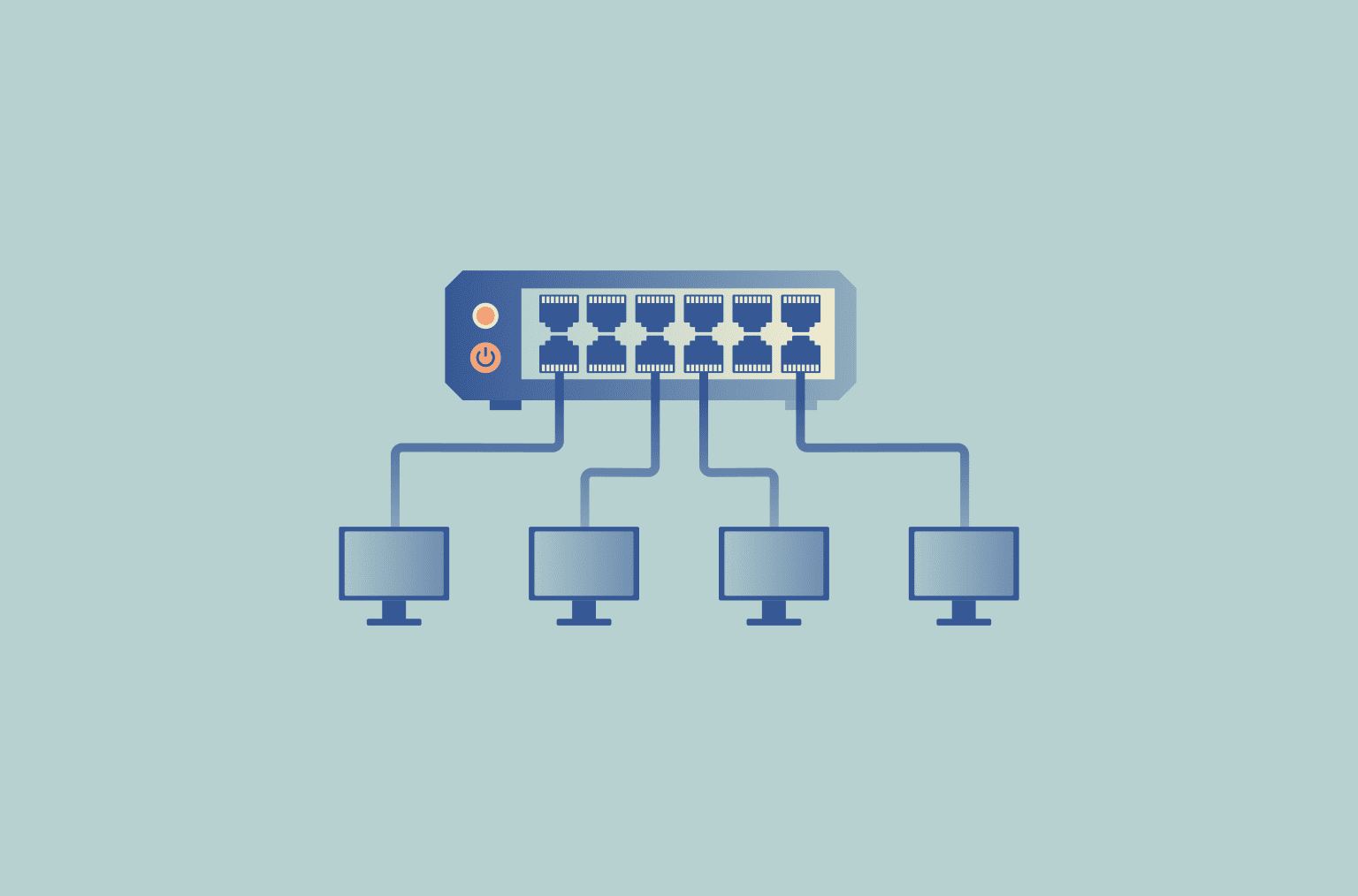
A network hub is a device that connects multiple computers and other devices in a local area network (LAN) and serves as a central connection point. Its core purpose is to receive incoming data and broadcast it to all connected devices on the same subnet.
How a network hub works
A network hub receives a signal from one connected device and repeats that same signal out to all other ports. Because it operates at the physical layer, Open Systems Interconnection (OSI) Layer 1, it doesn't interpret addresses or selectively forward traffic, and it doesn't filter, route, or manage transmissions. Traditional Ethernet hubs operate in half-duplex mode, so connected devices share the same transmission medium.
All connected devices share the same bandwidth and collision domain. If two devices transmit at the same time, a collision can occur, interrupting successful delivery and forcing the devices to wait and retransmit after a backoff. As traffic increases, contention and retransmissions rise, reducing effective throughput. Hubs are therefore largely obsolete in modern networks and have been largely replaced by switches.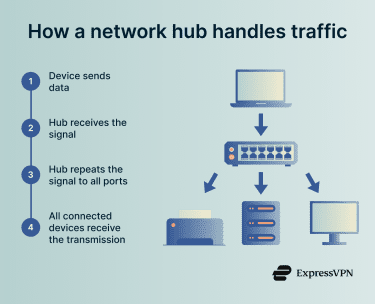
Types of network hubs
Network hubs are commonly grouped by whether they regenerate signals and whether they include management features.
- Passive hubs: Pass signals through without amplifying or regenerating them, so they do not extend the maximum network distance between devices.
- Active hubs: Use their own power supply to regenerate and relay signals, functioning as multiport repeaters and helping extend the maximum network distance.
- Intelligent hubs: Work like active hubs but add management features such as remote monitoring, diagnostics, and, on some models, limited port-level controls.
Advantages and limitations
Network hubs offer simple, low-cost connectivity, but their design introduces limitations that can reduce performance as network traffic increases.
| Benefits | Limitations |
| ✅ Simple to set up (little to no configuration) | ❌ Repeats traffic to all ports, increasing unnecessary network traffic |
| ✅ Low cost compared with switches or routers | ❌ Higher risk of collisions and congestion on shared bandwidth |
| ❌ Performance degrades as traffic and the number of connected devices increase (more delay, lower throughput) | |
| ❌ Largely replaced by switches, which forward traffic more efficiently |
Security risks and vulnerabilities
Network hubs increase exposure within a local network segment because traffic is not confined to a single intended recipient. A hub repeats incoming traffic to all ports, so any connected device can potentially observe transmissions on the segment, making interception, such as packet sniffing and eavesdropping, easier.
While this is a security concern in production networks, the same behavior can be a legitimate use case in controlled labs, troubleshooting, or forensic environments where visibility into traffic is required.
Hubs also lack the traffic control, segmentation, and management features commonly found in switches, reducing confidentiality and administrative control in environments with sensitive data.
Common use cases
Network hubs are uncommon in modern wired LANs and are mostly associated with legacy or specialized setups rather than everyday networking.
- Legacy networks: Used in older Ethernet environments where hub-based equipment is still in place.
- Labs and troubleshooting: Used in controlled test, training, or diagnostic setups where repeating traffic to all ports can help with packet capture and analysis.
- Simple temporary setups: May be used in very basic short-term wired networks, though switches are more common because they handle traffic more efficiently.
Network hub vs. network switch
A hub and a switch can look similar in a physical star layout, but they are different types of LAN devices with different functions and capabilities.
- Data handling: A hub repeats received traffic to all connected devices. A switch typically forwards traffic only to the destination port for known unicast traffic, though some traffic, such as broadcasts and unknown unicasts, may still be flooded.
- Network performance: A hub shares bandwidth and collision risk across connected devices. A switch reduces collisions and congestion by separating traffic paths, improving performance.
- Security: A hub’s broadcast behavior increases traffic exposure on the local segment. A switch reduces unnecessary exposure by limiting forwarding to the destination port.
- Modern relevance: Hubs are largely legacy devices in modern networking, while switches are the standard choice for wired LANs.
- OSI layer: Hubs operate at the physical layer (Layer 1). Standard Ethernet switches operate at the data link layer (Layer 2).
Further reading
- How to choose a router: Top mistakes to avoid and pro buying tips
- Network architecture: Building secure and modern networks
- Network topology: Best practices for modern networks