Expressvpn Glossary
Data at rest

What is data at rest?
Data at rest refers to information stored on physical or virtual storage that isn’t moving through networks or being processed. This type of data typically exists in databases, file systems, backups, or archives.
Examples of data at rest
Common examples of data at rest include:
- Files stored on a laptop or desktop computer.
- Records in a customer database.
- Archived emails stored on a mail server.
- Backup copies saved on external drives or cloud storage.
- Documents stored in a content management system (CMS).
In each case, the data remains stored and inactive until it is retrieved or processed.
Where is data at rest stored?
Data at rest can be stored across various storage environments, including: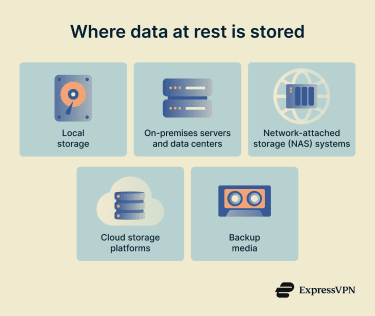
- Local storage, such as hard disk drives (HDDs) or solid-state drives (SSDs).
- On-premises servers and data centers.
- Network-attached storage (NAS) systems.
- Cloud storage platforms.
- Backup media, such as tape drives or external disks.
These storage systems may be centralized or distributed depending on organizational architecture.
Risks and privacy concerns
Device theft, misconfigured storage systems, insider misuse, or cyberattacks can expose data at rest if improperly secured. Unauthorized access may result in identity theft, financial fraud, or disclosure of confidential business information.
Privacy concerns arise when stored data includes personally identifiable information (PII), health records, or payment details. Failure to protect such data may lead to legal penalties and regulatory action, in addition to operational and reputational consequences.
How is data at rest protected?
Here are some ways organizations can protect data at rest.
- Classification: Placing data at rest into categories based on sensitivity (for example, public, internal, confidential, or restricted).
- Encryption or tokenization: Replacing sensitive data at rest with ciphertext or a non-sensitive token.
- Access controls: Granting access to data at rest based on verified identity, assigned role, device status, and contextual risk.
Further reading
- What is data encryption?
- What is big data security and privacy?
- Zero-trust data protection explained
- How to back up files and encrypt them
- How to encrypt a flash drive on Windows and Mac
- Encryption protocols explained: What they are and how they work
- The 7 pillars of zero-trust security